You’ve spent hours, perhaps days, meticulously painting your miniature models. They’re tiny works of art, deserving of more than a blurry, poorly-lit photo snapped in haste. So, you reach for your smartphone. After all, smartphone cameras have come a long way, right? Well, you’re not wrong. Despite what the DSLR purists might preach, your smartphone is a powerful tool for capturing stunning images of your miniatures, provided you know a few key techniques.
In this article, I’ll debunk the notion that you need expensive equipment for quality miniature photography. You’ll delve into the critical role of lighting, introduce you to affordable lightbox solutions, and provide tips on how to stabilize your smartphone for that satisfying shot.

What Camera Should I Use to Photograph Miniatures?
I get this photography question a lot. I would argue that your smartphone, the device you probably are holding right now, or keeping nearby is the ideal tool for photographing your miniatures.
Of course, I’ll start by saying that you want to photograph your miniatures in the best light possible.
Sure, the first instinct for many is to grab the closest object that has a camera attached to it; this is usually a smartphone, e.g., an iPhone.
And, this is actually the perfect response.
…but, the pictures are grainy or blurry.
Read on to learn more about how improve.
Encouragement to take more photos with your smartphone
Yes, take that photo with your camera phone. Smartphones today are fantastic tools for taking photographs.
Several years ago camera phones were still improving their game for capturing images–photos came out horrible. They sucked. But, that has all changed.
Your first choice for miniature photography could be your smartphone
If it’s all you own, and you don’t want to spend more money, it’s true.
I know that some of the more pro-photogs out there will disagree.
“You need a DSLR–“
My response: not really. If you have a smartphone model sold in the past 3 years, then realize that you have nearly all the tech to photograph a model well.

Fair warning, your photo won’t be something you can blow-up into a banner sized poster for your wall. I mean, you could, but there’ll be some problems that I won’t get into here.
But, for a blog, an instagram or Facebook post, using your smartphone is great!
Smartphones are great for taking miniature photos
I know smartphones can take great pictures. Just look at all of the selfies posted on social media! Despite being “unprofessional”, these are good examples of portraiture done within camera phones.
Bright, sharp, and colorful photos are everywhere nowadays, all taken with a smart phone. I’ve seen professional-looking wedding photos taken with an iPhone.

READ MORE: SMARTPHONE VS REGULAR CAMERA FOR MINIATURE PHOTOGRAPHY
Miniature photography is portrait photography on a smaller scale.
Companies like Games Workshop, Privateer Press, and Corvus Belli show incredible photos of painted models from their line-up. Granted, these models are painted by incredible artists and there’s high-production value in their photo shoots. That is, they spend a lot of money on marketing.
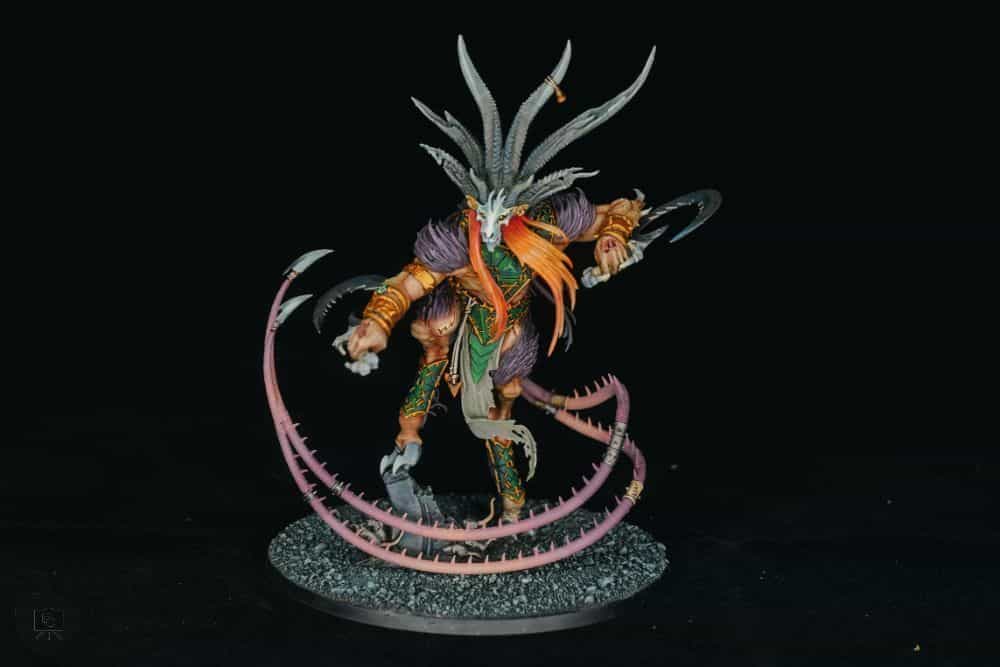
But, you don’t want to spend a lot of money. This is a hobby after all.
How do I take photos of Miniatures with a smartphone?
Everyone knows how to use their smartphone camera. Now the trick is getting good light. The quality of light that shines on your models makes or breaks a photo.
To take the best photos possible with your smartphone camera, improve your lighting. Take your models outdoors on a sunny day, or get a decent lighting setup.
For painted miniatures, I use these lights (here), which could also be use for photography.

Taking a great photo of a miniature with a smartphone requires lots of quality light.
All of the professional photos of miniatures that you admired were taken with great lighting.
The reason more expensive cameras are expensive is because they are simply more sensitive to light. These professional cameras are more light-sensitive because of one big factor: sensor size.
Expensive, dedicated cameras are more sensitive to light.
When light enters the lens of any digital camera, the glass focuses the light onto a sensor. The sensor (which might have been film in the analog days) sends the information it collects to a computer processor that kicks out the digital photo.
A bigger sensor means a camera can collect more light. But, in poor light, even the most expensive cameras with huge sensors will struggle to produce a good image.
Smart phones have very tiny sensors. They can’t collect a lot of external light.
RELATED: TAKE BETTER PICTURES OF MINIATURES WITH COMPOSITION
Poor light is a problem for the smartphone photographer
What do I mean with poor light?
I don’t mean just light that isn’t bright enough.
Poor light is either lighting that is 1) too dim, or 2) too strong.
Light that is too dim will produce grainy images, because the camera, in this case a smartphone, will try to compensate by increasing the exposure gain. Increased exposure gain is similar to increasing the volume of your radio; not only do you get more signal of what you want to listen to, but you also get more static noise. The same for images. The grain is the noise.
Light that is too strong will make “hot spots” on your miniature. The typical example is the use of flash. Flash will direct bright light in one direction at your model. It kills color. It kills contrast.
Strong, directional light is destructive for miniature photography.
Using light that is too strong can be worse than using light that is dim.

What can I do to improve my lighting?
There are two simple ways to improve your lighting so you can effectively take great photos with your camera phone.
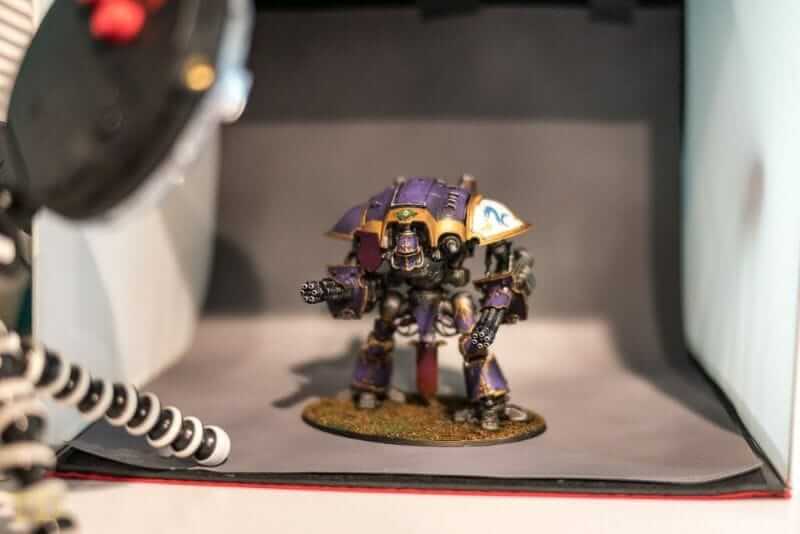
- Get a light box. A light box doesn’t have to be expensive—you can even make one at home. It helps control lighting and lets you swap in different backdrops for atmosphere. I usually stick with simple black or white backgrounds.
- Stabilize your smartphone. Use a tripod or phone stand to keep your camera steady. This lets you use slower shutter speeds for better lighting without blurring the image.
- Improve the source of lights (suggested bulbs or lamps). Lighting gear can get expensive, but if you follow the basics above, your smartphone and minimal setup can still deliver great photos.
Put #1 and #2 together and your smart phone becomes your most cost-effective tool for photographing miniatures. Some light box kits come with tripods for smart phones.
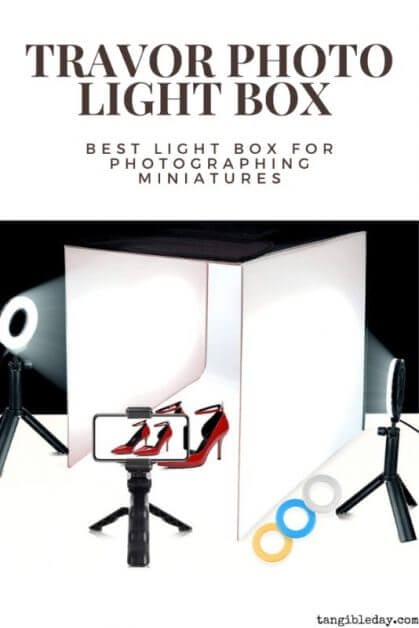
There are many options I recommend for light boxes and tripods for smart phone photography of miniatures:
The light box kit I currently use ($40) is great for my general studio photography. It has greatly improved the quality of my photos (see here or here)!
Post Processing Your Images Will Improve the Final Result
There’s some post-processing work required to push digital images taken straight out-of-the-camera (OOC). I won’t go into too much depth here, because everyone does it differently. Post-processing software, such as Adobe Lightroom, are industry standard for processing photos for professional results.

Free Photo Editing Software and What to Adjust in Your Images
Google Snapseed, for example, is freely available on almost every desktop or mobile platform. I’ve used it extensively in the past with great results.
The two major items that you will likely want to learn how to adjust after you’ve taken your photo include:
- Exposure – This controls how bright your image looks. Ideally, your lighting setup (like a light box) handles this, but small exposure tweaks can help. Be careful—pushing it too far in editing can add noise or grain.
- Color Temperature – This affects how warm or cool your photo feels. You want your model’s paint colors to look true to life, but lighting often adds a tint. Use your app’s temperature or tint sliders to adjust. Trust your eyes—if something painted white looks off, tweak until it looks neutral. Pro Tip: 📸 Use a known white or gray part of your model or backdrop to gauge color accuracy.
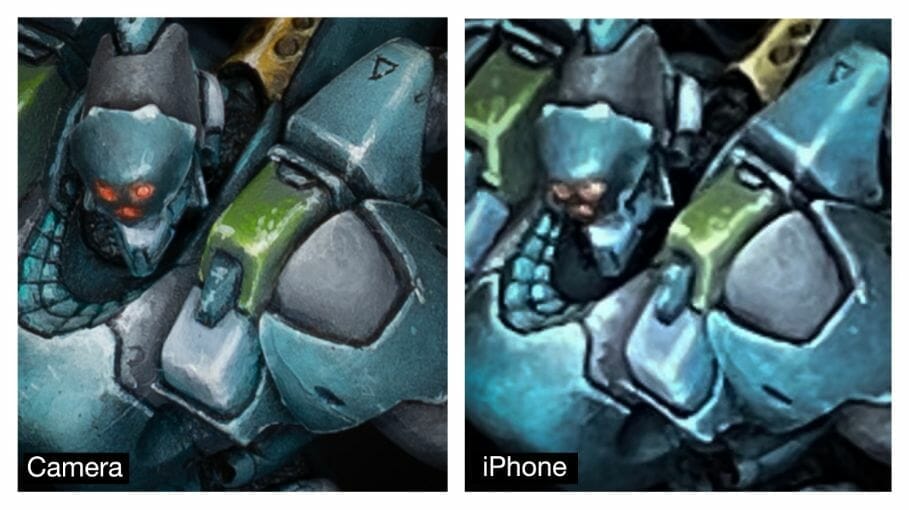
Of course, a more expensive camera, such as a DSLR or the emerging mirrorless cameras, can produce higher resolution photos with greater contrast and color rendition. Here’s a direct comparison between a smartphone and dedicated professional camera for taking photos of miniatures.
CONCLUSION
If in doubt about what camera to use for your miniature photography, I suggest you take a closer look at your smartphone. It packs a lot more power to create wonderful images of your miniatures than you may think.
With good lighting (check a few options here), a basic understanding of how a camera captures light to create photos, and a bit of practice, I think the smartphone may be the most useful photography tool we have in the hobby.
Of course, if you’re looking for more “professional photos” that incorporate more creative, artistic effects, and you require some versatility of the environment you want to photograph your models in, a fully dedicated camera system may be necessary. Ultimately, the best advice is to choose the tool that fits your purpose.
I hope you enjoyed this article. I’d love to hear from you! If you have any questions, feedback, please let me know with a comment below.
Happy photography!
Enjoying Your Visit? Join Tangible Day
Free newsletter with monthly updates (no spam)


Tangible Day on YouTube (Miniatures and More!)