So, here I am typing at my computer wondering whether a computer monitor light bar with an RGB backlight is worth it. Indeed, if you’re looking for something to add some ambience to your workspace, any kind of lighting system will work to make things a bit different. There are so many options on the market for different kinds of LED lighting, including RGB style ambient lights that can be hard to even bother looking at all.
In this article, I share my opportunity to test out the Quntis Monitor Light with RGB Backlight. It’s a simple, inexpensive way to add ambience and functional lighting to your desk workspace. If you’re a creative type working at a computer a lot, this could be an interesting way to change things up and add a bit of interest to your workspace. What I won’t do is hype. Yes, a monitor light, even a budget level system is useful as I discovered.

Disclaimer: Quntis provided me with a demo copy of their Monitor Light with RGB backlighting system. Of course, with any review, I maintain my liberty to express my honest opinion, good or bad, about any product we test. I hope you find this review helpful!
Key Takeaways
- The Quntis Monitor Light provides excellent eye protection, crucial for detailed miniature painting and artistry.
- Customizable lighting with adjustable color temperatures and brightness levels enhances the precision of creative tasks.
- The RGB backlight modes add an immersive, customizable element to the creative workspace.
- Easy installation and user-friendly controls make the light a convenient addition to any artist’s or hobbyist’s setup.
- While not suitable for curved displays or laptops, it fits well with most standard monitors.
Summary: Is the Quntis Monitor Light with RGB Backlight Worth It?
The Quntis Monitor Light with RGB backlight is an interesting product for those looking to add ambience and a bit of functionality to their desktop workspace. It has all the trappings of a useful lighting system that doesn’t take up much space (it hangs right over your computer monitor). It combines standard features like anti-flicker LED technology, customizable brightness and color temperature, and adds a bit of fun with an RGB backlight.

Quick touch operation is easy and intuitive. The mechanism that holds the light in place is decent, but a heavy hand may move the light out of place when you’re turning the light on/off or making adjustments with the switches.

For a more powerful and useful monitor lighting design, take a closer look at the Quntis Monitor Light Pro+, which comes with a handy remote. And, while it is a bit more money, I think it is a really good value and I was quite impressed! Overall, if you’re looking to try out a monitor light, don’t want to spend a lot, and have a keen interest in adding some RGB fun to your computer space, the
I highly recommend the Quntis Monitor Light as a worthy investment for enhancing any detailed-oriented and visually demanding hobby workspace.

NOtable Features
- Eye Protection: Certifications like IEC62471 and IEC62778, LED>700Lux, CRI>95
- Asymmetric Optical Design: 45% design to prevent glare and direct eye contact
- Dual Light Source: Combines a monitor lamp with 15 RGB backlight modes
- Adjustable Settings: Three color temperatures and brightness levels (25%, 50%, 100%)
- Memory Function and Touch Controls: Easy to use, remembers last settings
- Sturdy Build: Made from lightweight and impact-resistant aluminum alloy
- Easy Installation: Patented spherical clamp, suitable for most monitors (excluding curved displays and laptops)

Pros
- Excellent eye protection features
- Customizable lighting with RGB backlight
- Easy-to-use, intuitive controls
- Non-invasive installation suitable for various monitors

Cons
- Not compatible with curved displays and laptops
- RGB modes might be more of a novelty for some users
- While you can control different colors, the RGB backlight does not have a brightness adjustment
Read on to see my overall experience with the Quntis Monitor Light with RGB Backlight.
Unboxing and First Impressions
The Monitor Light arrived safe and sound in the packaging. It comes with a power cord and the light itself. The foam is the typical black compression type stuff that keeps things from jostling around during travel. An instruction manual is also included, which is super easy to understand. There’s not much to installation, which I’ll get into shortly below.

Overall, the package is compact and clean. Easy to open and see where everything is. I’m intrigued.

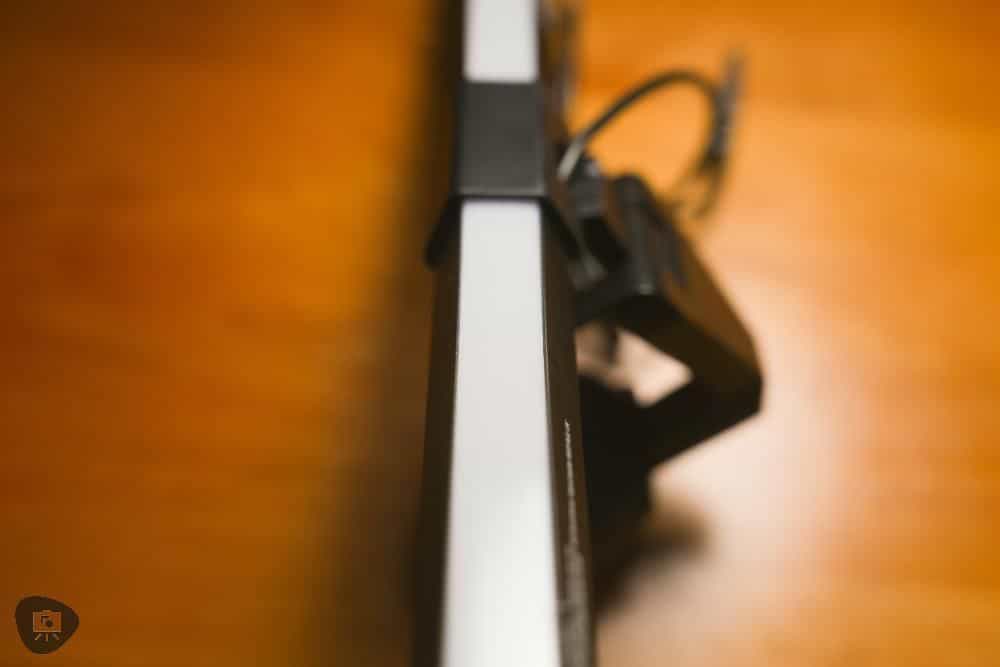
Upon lifting the lamp out of the package, the overall fit and finish was solid and I felt like this would fit right in with my mid-tier monitor. It’s an average, non-nonsense monitor light. I was left with the impression that this would do the job with a bit of fun flair.
And, did it? I think so!
Easy Installation
Installation is a 1-2 affair. First, take out the lamp and following the manual, remove the sticky backing on the “ball-like” counter weight, and place it on top of your monitor. While this lamp won’t work on laptops or curved monitor; installation and setup was super easy on the three monitors I tested this on: All of them have semi-flat backs but of varying screen thickness.
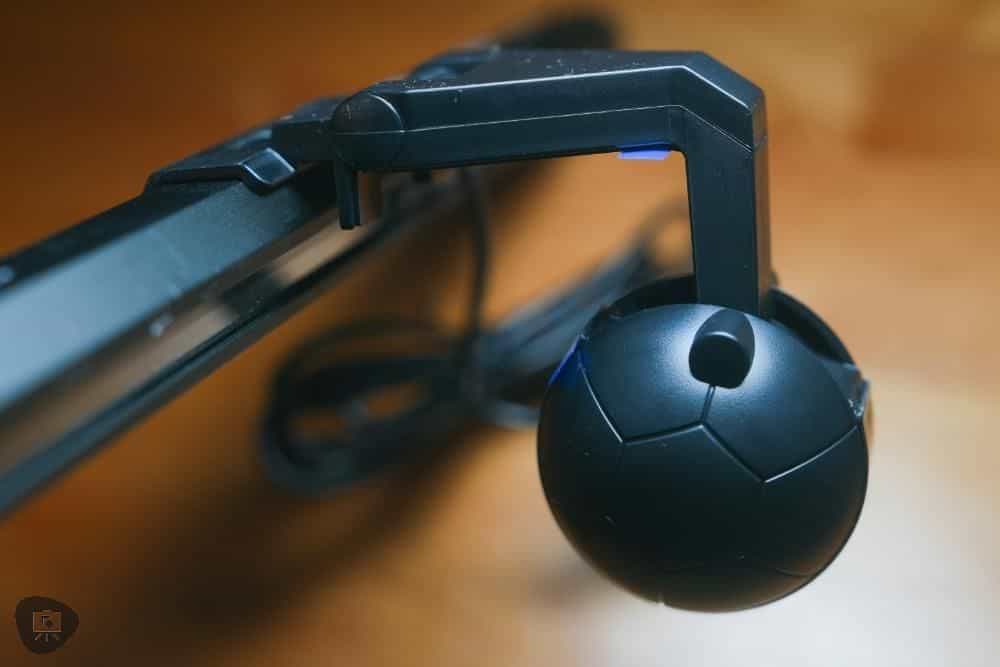
While I did find some wobbling initially with the lamp being unstable, a bit of light pressure on the sticky-backing on the hook kept things pretty sturdy. For a more secure hold, you could use double sided tape or DIY some type of velcro attachment if you wanted to. I left it as-is using the factory setup and it held fine.

The power cable uses a USB plug, so you can use one from your computer or an external adapter (sold separately). In either case, it’s simple as that: Plug and play.

Thoughts on Looks and Feel
The Quntis Light Bar with RGB backlight is as simple looking as you’ll get. Its minimalistic style with black matte finish will fit right in with any monitor or desktop setup you have. Although, I know some of you have those bright white setups or fancy Apple-esque workstations. And, for you, this may stick out like a sore thumb.
The lamp itself once setup right on your monitor looks like it belongs there. It has a small silhouette which won’t bother field-of-view. Importantly, if you have a built-in webcam, the light bar won’t block it either.

Experience with the Lamp’s Operation
The buttons that control the lamp are on either side of the light bar. On the left side there’s an on/off switch that also controls brightness levels and color temperature. To turn the lamp on/off, press and hold for 3 seconds. For adjusting brightness or color temperature, tap the switch or touch and hold, respectively.

For the RGB backlight, you can turn it on and off, and change color modes using a single button. There are many, many color modes you can cycle through.


Some are solid colors, like red, green, or purple. There are also cyclical rainbow LED modes that crawl across the backlight bar. It works great when you have everything setup and the backsplash light bounces off a bright color wall behind your monitor.

The experience using the lamp is very good. And, I have no complaints. The whole system operates as you would expect without bulky switches.

In this regards, the lamp is designed simply and functions intuitively. You won’t need to keep the instruction manual around to use the lamp after first setup.
Lighting Performance
The monitor light provides a good amount of clear, soft light directly in front of the monitor. When you angle the led’s properly which is easy to do (see above), there is no glare against your computer screen. A fairly wide angle of your desktop is illuminated. I have worked at my computer desk effectively with just this monitor light during my testing and with all the other room ambient lights off at night.

For precision work, as a hobbyist, I would not rely on this lamp given that you can’t move it around and the area that is bright enough to see fine detail surfaces is limited. Sure, the light uses CRI (~95) that will reproduce colors accurately under most conditions. But, as a sole light for anything other than working at a computer, I may rely on other dedicated lighting systems.

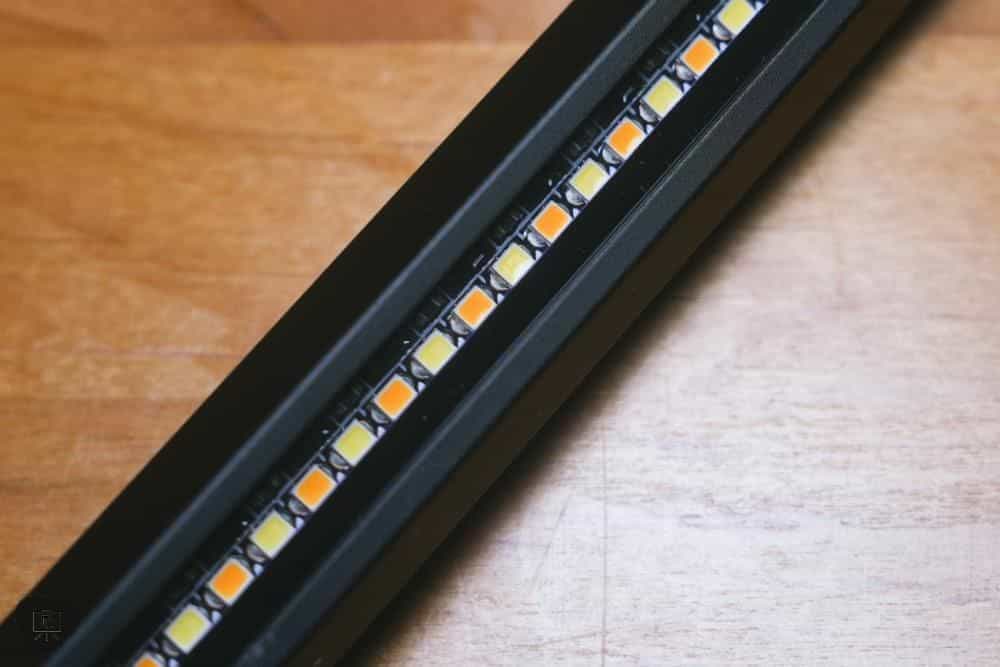
Regarding the ability to change the color temperature and brightness of the front light: The adjustable color temperatures (warm, cold, natural) and brightness levels (25%, 50%, 100%) allow for customization based on the task at hand or the time of day. The color temperatures for those who want the exact Kelvin values are 3000k, 4000k, and 6500k. This means that there isn’t a perfectly neutral daylight temperature. You’ll get a cool blue one end, and slightly warm white tone at best.

While I’m not typically someone who “needs” RGB lighting for their computer workstation, I think this is a fun feature to have especially at this budget-level price point for the Quntis Light Bar. The 15 RGB modes add an immersive element, particularly useful I think for those who stream their painting sessions or enjoy a dynamic ambiance.
Practical Use and Who This Monitor Light is For
For Miniature Painters
The Quntis Monitor Light an interesting, but limited asset for miniature painters. Its high Color Rendering Index (CRI) accurately represents colors, a crucial factor when working with intricate color details and paint mixing. However, the limited scope of where you can place the light–it’s stuck to your monitor–prevents it broader application to an actual hobby desk.
Read More: Great dedicated light for painting miniatures or other small scale hobby work.
The adjustable brightness and color temperature settings can be particularly useful though if you’re at a computer for related things, like posting on social media or editing a YouTube video of your work. For example, if you wish to edit photos or videos with the light on, it’s great for that too! But, I wouldn’t recommend this as your sole lighting solution if you need more precision when painting miniatures or models.
For Office Workers
For those who work at a computer desk for long hours, the Quntis Monitor Light is great for reducing eye strain. The soft, adjustable lighting prevents glare and harsh lighting that can cause fatigue and headaches. Plus, the added RGB backlighting can provide a fun and dynamic element to your workspace.

The compact design also makes it easy to install on any monitor without taking up much space. And, its simple operation allows for seamless integration into your work routine. I do think it looks fun to use.
For Gamers
The Quntis Light Bar can also add a cool touch to any gaming setup. With its RGB backlighting and customizable color modes, it’s perfect for creating an immersive atmosphere while playing games. I don’t play much anymore these days. But for those who game… a bit of ambience may enhance the immersion.
Final Thoughts
Wrapping up this review, the Quntis Monitor Light is like that cool, new gadget you didn’t know you wanted for your workspace. It’s not for everyone. But, the light is nifty for those who spend a lot of time at their computer workstation or want a bit more focused lighting on their office desk space without a lamp taking up precious desk space.
The RGB backlight is a neat and fun feature. But, it’s not all rainbows and sunshine. If you’ve got a curved monitor or a laptop, this light’s not playing ball. And, it’s a stay-put kind of light, so don’t expect to move it around for different angles.
Design-wise, it’s sleek and unobtrusive, but might stick out in super bright or unique setups.
Bottom line? If you’re after a wallet-friendly way to jazz up your desk and get some good light, the Quntis is a pretty solid bet. But, if you need more precise lighting for your hobbies or work, it’s best to look elsewhere.
I hope you found this review helpful! I love checking out new gadgets on the market, and if you something you’d like me to take a closer look at, let me know!
Thanks for reading!
Enjoying Your Visit? Join Tangible Day
Free newsletter with monthly updates (no spam)




Tangible Day on YouTube (Miniatures and More!)